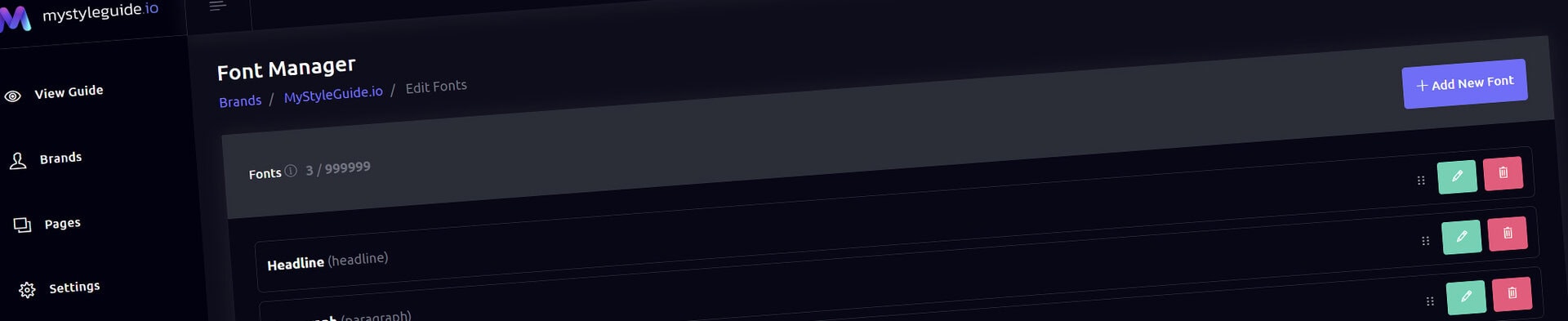
The Font Manager is where you define the fonts used in your brand guide. It lets you create a clean, structured list of your brand’s typefaces, along with usage notes, alternatives, and external font links. These fonts can then be displayed inside your brand guide using the Font Gallery component.
This tool is perfect for designers, agencies, and teams who want to clearly communicate their typography system.
From this screen, you can:
It’s a simple, organized way to manage your brand’s typography.
When you open the Font Manager, you’ll see two main sections:
1. Fonts
A list of all fonts you’ve added to your brand.
Each font appears as a collapsible card showing:
You can expand each card to view details.
A list of URLs that load your fonts — such as:
These links ensure your fonts load correctly in your brand guide.
Click Add New Font to open the modal.
You can enter:
Once added, the font appears in your list and can be reordered or edited.
Click the pencil icon on any font card to open the edit modal.
You can update any field, including the theme role.
Changes appear immediately in the list.
Click the trash icon to remove a font from your brand.
You’ll be asked to confirm before it’s deleted.
Use the ⋮⋮ drag handle to reorder fonts.
This is especially useful when:
The order you set here is the order your Font Gallery component will use.
External links load your fonts into the brand guide.
Examples include:
https://use.typekit.net/xxxxxxx.cssAdding a Link
Click Add External Link, then enter:
Editing a Link
Click the pencil icon next to any link.
Deleting a Link
Click the trash icon and confirm.
Reordering Links
Drag the ⋮⋮ handle to reorder them.
All changes — fonts and external links — are saved together.
Click Save Settings in the bottom‑right corner to apply your updates.
Your brand guide will now use the updated font list and external links.
Only owners and editors can access the Font Manager.
View‑only users cannot modify fonts or links.
The Font Manager helps you:
It’s a simple but powerful tool for maintaining a professional, well‑structured brand guide.