Logo of MyStyleGuide.io, a platform for sharing style guides and branding resources.
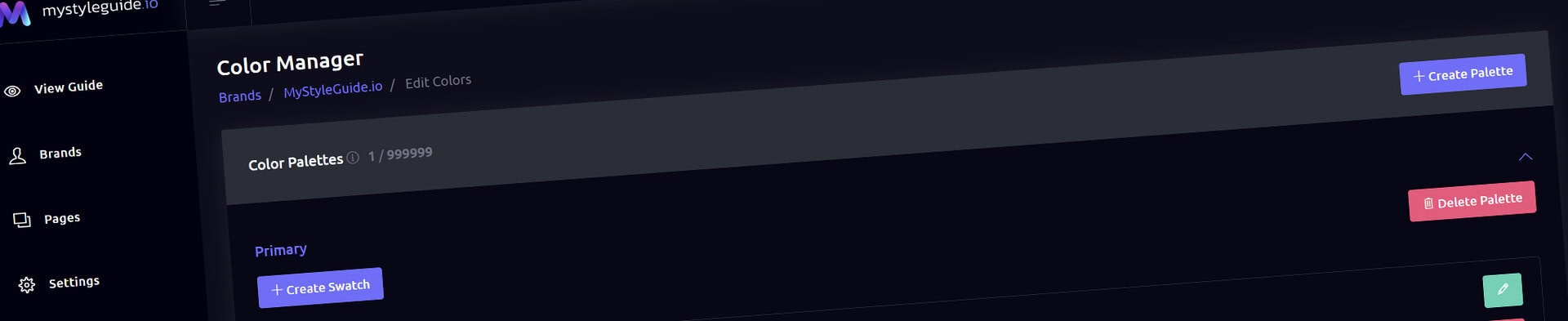
Screenshot of MyStyleGuide.io Color Manager interface showing color palette management.

Color Manager

Create, organize, and document your brand’s color system.

Color Manager

The Color Manager is where you organize and document your brand's complete color system. Create color palettes, define individual swatches, store color values, and build a consistent reference that designers, developers, and marketing teams can rely on.

Colors added here can be displayed throughout your brand guide using the Color Gallery and HEX Gallery components.


What You Can Do

From the Color Manager, you can:

  • Create multiple color palettes
  • Add and organize color swatches
  • Store HEX, RGB, CMYK, and PMS values
  • Reorder palettes and swatches
  • Maintain a Quick HEX List
  • Edit or remove colors
  • Save your complete color system

Everything is designed to help you build clear, professional color documentation.


Color Palettes

Organize your colors into meaningful groups.

Common examples include:

  • Primary Colors
  • Secondary Colors
  • Accent Colors
  • Neutral Colors
  • Accessibility Colors

Grouping colors into palettes makes your brand guide easier to understand and keeps related colors together.


Color Swatches

Each palette contains one or more color swatches.

Every swatch can include:

  • Color name
  • HEX value
  • RGB value
  • CMYK value
  • PMS reference

A live color preview makes it easy to verify each swatch while you're editing.

Providing multiple color formats ensures your brand can be reproduced consistently across both digital and print applications.


Color Name

Give each swatch a descriptive name, such as:

  • Primary Blue
  • Accent Orange
  • Neutral Gray 200
  • Success Green

Clear naming helps everyone reference colors consistently.


Organizing Colors

Both palettes and swatches can be reordered using drag-and-drop.

Reordering allows you to:

  • Group related colors together
  • Present colors in a logical sequence
  • Control how palettes appear throughout your brand guide

The order you create here is reflected in your published color galleries.


Quick HEX List

The Quick HEX List provides a fast reference for your brand's HEX color values.

You can enter colors:

  • One per line
  • Comma separated
  • As a simple list

This is useful when:

  • Copying colors into design software
  • Sharing colors with developers
  • Importing or exporting brand colors
  • Creating a quick reference without browsing full palettes

The list is saved alongside your color palettes, ensuring everything stays synchronized.


Managing Colors

Color palettes and individual swatches can be edited or removed at any time.

Edit

Update names or color values whenever your brand evolves.


Delete Swatch

Remove an individual color from a palette.

You'll be asked to confirm before the swatch is permanently deleted.


Delete Palette

Remove an entire palette and every swatch it contains.

Because this action deletes multiple colors, you'll be asked to confirm before continuing.


Saving Your Color System

Click Save Colors to apply your changes.

Your palettes, swatches, and Quick HEX List are saved together and become available throughout your brand guide.


Permissions

Owners and Managers can create, edit, organize, and remove color palettes.

Users with view-only access can browse published color documentation but cannot modify your brand's color system.


Summary

The Color Manager is the central hub for your brand's color system.

From here you can organize palettes, document color values, maintain quick references, and create clear color guidelines that help every member of your team apply your brand consistently across print, digital, and web projects.

Modern, colorful MyStyleGuide.io logo with a sleek "M" design.

Sharing your brand just got easier

MyStyleGuide.io helps teams prevent off‑brand mistakes by giving everyone a single, reliable place to access your brand assets and guidelines. Built with thoughtful design and real‑world branding experience, it makes communicating your identity simple, consistent, and effortless
© 2023 - 2026 MyStyleGuide.io
  |  
Website Design by: 
Graphic Finesse